Running a restaurant in Saudi Arabia, the UAE, or Oman in 2026 is more complex than ever. Rising food costs, strict e-invoicing mandates, fierce competition from cloud kitchens, and customer expectations shaped by global brands mean that a simple cash register or standalone POS terminal is no longer enough.
The restaurants thriving across the Gulf today share one thing in common: they have replaced isolated billing machines with ERP-powered POS platforms that connect the front counter, the kitchen, the stockroom, and the accountant's desk into a single, real-time system.
In this guide, we break down exactly why the shift is happening, what an ERP-integrated restaurant POS looks like in practice, and how to evaluate the right solution for your F&B business.
1. The Hidden Cost of a Standalone POS in Restaurants
Most restaurant owners in the GCC started with a basic POS — a touchscreen terminal that takes orders, prints receipts, and logs daily totals. It works on day one. But as the business grows, the cracks appear:
Revenue Leakage You Can't See
- Ingredient theft and shrinkage go undetected because the POS doesn't track raw materials — only finished dish sales.
- Portion inconsistency means some chefs use 30% more cheese or meat than the recipe demands, eroding margins silently.
- Manual stock counts done weekly (or monthly) reveal shortages too late to act on.
Operational Bottlenecks
- No kitchen coordination: Waiters shout orders or scribble tickets, causing delays, mistakes, and customer complaints.
- Disconnected suppliers: Purchase orders are managed via WhatsApp or phone calls, leading to duplicate orders and forgotten deliveries.
- End-of-day chaos: Managers spend 1-2 hours manually reconciling cash, card payments, and aggregator settlements.
Compliance Risk
- Saudi Arabia's ZATCA Phase 2 requires cryptographic stamping, XML clearance, and tamper-proof digital invoicing — capabilities that most standalone POS terminals simply don't support.
- UAE FTA and Oman OTA mandate bilingual receipts, proper VAT breakdowns, and audit-ready records.
The bottom line: A standalone POS handles the cash register. An ERP-powered POS runs the business.
2. What Is an ERP-Powered Restaurant POS?
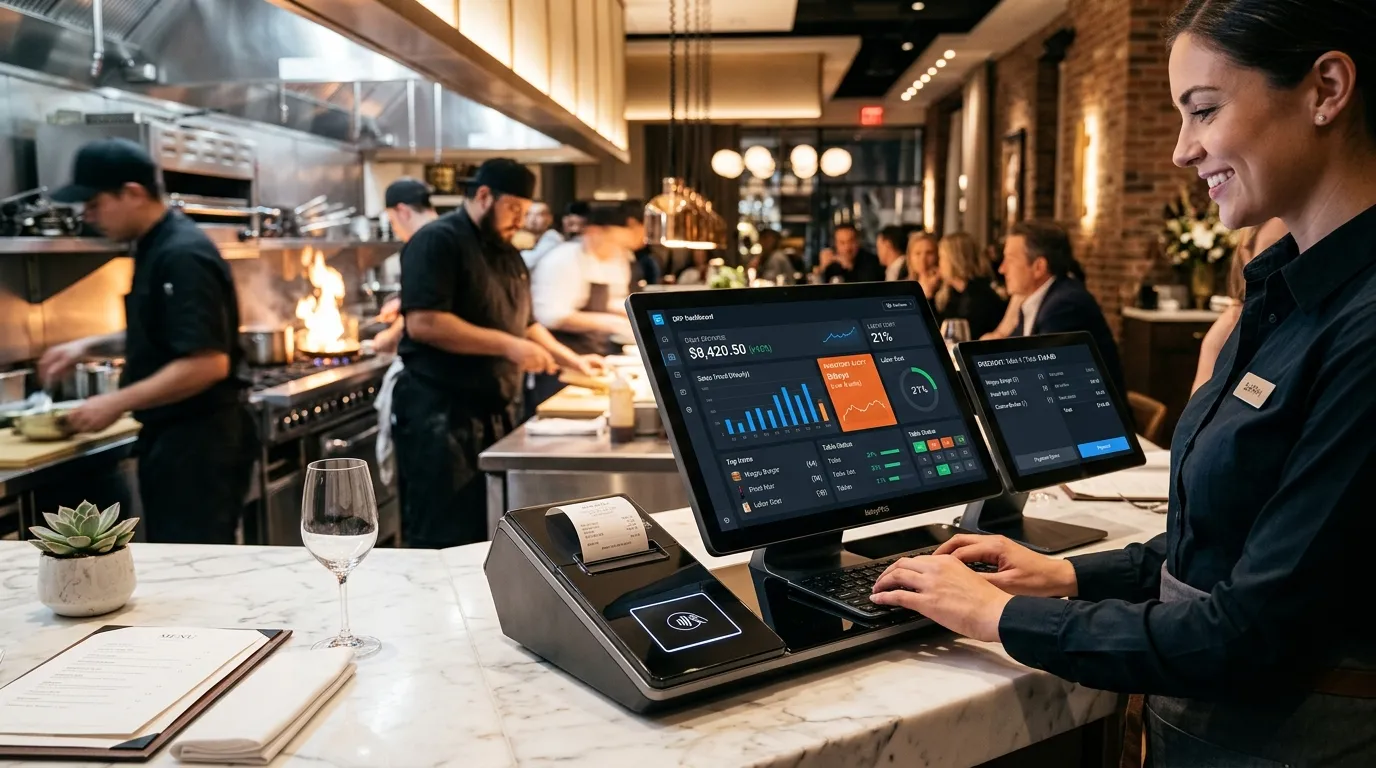
An ERP-powered POS is a unified platform where every restaurant operation — from the moment a customer places an order to the moment the ingredients are restocked — flows through a single connected system.
Here is what that looks like in practice:
Front-of-House: Seamless Ordering & Billing
- Touchscreen order entry with combo builders, modifier groups, and dynamic pricing (happy hour, weekday specials).
- Integrated payment processing: Cash, Mada, Visa, Mastercard, Apple Pay, Tabby, Tamara, and split-bill across multiple tenders.
- QR code table ordering that lets customers browse the menu, order, and pay from their phones — reducing waiter dependency during rush hours.
Back-of-House: Smart Kitchen Operations
- Kitchen Display Systems (KDS): Orders appear on kitchen screens organized by station (grill, salad, drinks), with timers and priority flags.
- Recipe-level inventory deduction: Every burger sold automatically deducts the exact bun, patty, lettuce, sauce, and packaging from inventory.
- Prep planning dashboards: Forecast tomorrow's demand based on historical sales patterns, day of week, and upcoming events.
Supply Chain: Automated Procurement
- Auto-reorder triggers: When chicken breast inventory drops below 5kg, the system generates a purchase order to your preferred supplier.
- Supplier price comparison: Track cost per unit across multiple vendors and switch suppliers based on price trends.
- Goods receiving and quality checks: Record received quantities, reject damaged stock, and update inventory in one scan.
Finance: Real-Time Accounting
- Every sale, refund, discount, and supplier payment auto-posts to your general ledger — zero manual journal entries.
- Cash-up reports at end of shift match physical cash to system records, flagging any shortfall instantly.
- Profit & Loss by branch, by menu category, by dish — know exactly which items make money and which ones drain it.
3. 5 Ways an ERP POS Transforms Gulf Restaurant Operations
① Cut Food Waste by 20-30%
Recipe-based inventory tracking means you know exactly how much raw material each dish consumes. When the system flags that you ordered 50kg of tomatoes but only used 30kg before they expired, you adjust purchasing immediately.
② Speed Up Table Turnover by 40%
KDS eliminates shouted orders and handwritten tickets. Orders reach the right kitchen station in under 2 seconds. Payment processing with integrated terminals takes 15 seconds instead of 2 minutes.
③ Automate ZATCA / FTA / OTA Compliance
The ERP generates compliant e-invoices with cryptographic stamps, proper Arabic/English formatting, and QR codes — automatically. No third-party middleware, no manual XML generation, no compliance anxiety.
④ Unify Multi-Branch Control
Update menu prices, push new combo deals, or restrict a discount code across all branches from a single dashboard. Monitor live sales velocity at each location from your phone during Friday lunch rush.
⑤ Eliminate End-of-Day Reconciliation
The system auto-reconciles cash, card, and aggregator (Jahez, Talabat, HungerStation) payments against orders. Your nightly close-out takes 5 minutes instead of 90.
4. Industry-Specific Features for Gulf F&B Businesses
Different restaurant concepts have different needs. Here's what to look for:
Fine Dining & Full-Service Restaurants
- Table management with floor plan visualization, cover tracking, and reservation integration.
- Course-fire sequencing so the kitchen holds the main course until the starter is cleared.
- Wine and beverage pairing suggestions linked to menu items.
- Detailed tip management with fair pooling rules and end-of-shift payouts.
Quick-Service Restaurants (QSR) & Fast Food
- Speed-optimized UI with large buttons, combo shortcuts, and one-tap reorders for regular customers.
- Drive-through display integration syncing orders to kitchen and pickup screens simultaneously.
- High-volume queuing supporting 200+ orders per hour per terminal without lag.
Cloud Kitchens & Dark Kitchens
- Multi-brand menu management running 3-5 virtual brands from one physical kitchen.
- Aggregator-first design with direct API connections to all major delivery platforms.
- Packaging and dispatch tracking ensuring the right items go into the right delivery bag.
Cafés & Bakeries
- Weight-based pricing for pastries, cakes, and deli items with built-in scale integration.
- Loyalty points and subscription cards (e.g., "Buy 9 coffees, get the 10th free").
- Ingredient batch tracking for allergen compliance and freshness management.
Catering & Event F&B
- Quotation and invoice generation for corporate catering packages.
- Advance order scheduling with production planning and ingredient procurement timelines.
- Per-event P&L reporting to calculate actual margins after each event.
5. The Real ROI: Numbers That Matter
Here are the measurable results Gulf restaurants report after switching to an ERP-powered POS:
| Metric | Before (Standalone POS) | After (ERP POS) | Improvement |
|---|---|---|---|
| Food cost percentage | 35-40% | 28-32% | ↓ 7-8% savings |
| Order accuracy | 85-90% | 98-99% | ↑ Fewer refunds & complaints |
| Table turnover time | 55 min avg | 38 min avg | ↑ 30% more covers/night |
| End-of-day close-out | 60-90 min | 5-10 min | ↓ 90% time saved |
| Monthly accounting hours | 20-30 hrs | 2-4 hrs | ↓ 85% reduction |
| ZATCA compliance | Manual / risky | Fully automated | ✅ Zero penalty risk |
6. Choosing the Right ERP POS: A Practical Checklist
Before signing with any provider, verify these critical capabilities:
- Offline-first billing: Can cashiers continue taking orders and printing receipts during a complete internet outage?
- Recipe-level inventory: Does the system deduct raw ingredients automatically when a dish is sold?
- KDS integration: Do orders appear on kitchen screens with station routing, timers, and priority flags?
- Aggregator connectivity: Does it connect natively with Jahez, Talabat, HungerStation, and other Gulf delivery platforms?
- ZATCA Phase 2: Is the e-invoicing certified and production-ready, not "coming soon"?
- Multi-branch dashboard: Can you monitor all locations live from one screen on your phone?
- Integrated accounting: Do sales, COGS, and payments auto-post to the general ledger without manual journal entries?
- Arabic & English: Is the full interface, kitchen display, and receipt printing natively bilingual?
- Hardware flexibility: Does it work with your existing printers, cash drawers, and payment terminals?
- Local support: Is there a Gulf-based team for onboarding, training, and same-day technical support?
7. Why WaslaSoft Is Built for Gulf Restaurants
WaslaSoft was designed from the ground up for the unique demands of GCC food & beverage operations:
- True Hybrid Offline-First: Your kitchen and cash register never stop — even during complete internet outages. Transactions sync automatically when connectivity returns.
- Full ERP Suite: POS, inventory, recipe costing, procurement, accounting, HR, and CRM — all under one license with no hidden module fees.
- Certified ZATCA Phase 2: Production-ready e-invoicing with cryptographic stamps, XML clearance integration, and compliant QR codes.
- Native Bilingual Engine: Full Arabic & English interface, bilingual kitchen displays, and localized receipt formatting.
- Aggregator Ready: Direct integration with Jahez, HungerStation, Talabat, and more — orders flow straight to your KDS.
- Gulf-Based Support: Dedicated onboarding specialists and technical support based in Saudi Arabia, UAE, and Oman.
Conclusion: Stop Losing Money to Disconnected Systems
Every day your restaurant runs on a standalone POS, you're leaking revenue through untracked food waste, losing customers to slow kitchen coordination, and risking ZATCA penalties on non-compliant invoices.
An ERP-powered POS pays for itself within the first month through reduced food costs, faster service, and automated compliance alone.
Ready to see the difference in your restaurant?
Book a free live demo with WaslaSoft and watch how our hybrid ERP POS streamlines your kitchen, inventory, and accounting — live, with your own menu data.